Souris de jeu Horus légère avec fréquence de rafraîchissement de 8 000 Hz
Les accessoires sont facultatifs et facturés séparément. Les réductions, les frais d'expédition et les taxes sont calculés dans votre panier et au moment du paiement. Vous pouvez modifier chaque article de votre panier.
Dimensions: Approx. 330 mm (L) × 140mm (W) × 44 mm (H)
Weight: Approx. 1100 g
Typing Angle: Approx. 6.5°
Connectivité et compatibilité
Connection: Wired (Single-mode)
USB Polling Rate: 8,000 Hz
Supported Systems: Windows, macOS, Linux
Dans la boîte
MelGeek REAL81 Keyboard*1
Warranty card *1
Brand card *1
User manual *1
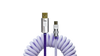
USB cable *1
Keycap puller *1
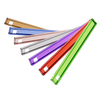
Extra keycaps *5
MelGeek bee sticker *1
Politique de support après-vente
Shipping: Enjoy fast, reliable, and trackable global shipping with estimated delivery within 3–5 business days.
Return: Enjoy 30-day hassle-free returns and a 30-day quality guarantee. Refunds are typically processed within 5–7 business days.
Warranty: All magnetic keyboards include a 2-year warranty, while mechanical keyboards, mice, and accessories are covered for 1 year. For any product inquiries or support assistance, please feel free to contact our support team at service@melgeek.com.
Tech Review
Besoin d'un support ou d'un guide ?
Explorez notre guide d'achat pour trouver votre clavier MelGeek parfait.
Débloquez votre apogée avec Hall Effect Rapid Trigger. En réinitialisant la clé en un clin d'œil (avec une levée de seulement 0, 1 mm) , cela élimine le retard collant et lent des interrupteurs mécaniques traditionnels. Fini les images fantômes, les entrées mortes ou les combos abandonnés. Que vous effectuiez des combos complexes annulant une animation ou que vous projetiez des ultimes ennemis avec une latence physique nulle, vous frapperez toujours en premier.
Frappe dynamique
Une clé, quatre actions distinctes
Une clé. Actions multiples. Dans les jeux FPS, une seule frappe peut exécuter de manière transparente des combos complexes, comme équiper et lancer un flash, ou basculer instantanément entre un sprint et une marche silencieuse, déclenchant jusqu'à 4 actions en un seul mouvement fluide.
SOCD
Arrêt d'urgence absolu
Lorsque deux touches sélectionnées sont enfoncées simultanément, le clavier ne déclenche que la dernière touche enfoncée, arrêtant par la même occasion l'autre. Vous aider à vous repositionner dans le brouillard chaotique de la guerre et à prendre le contrôle absolu.
Le nombre d'or : l'espace rencontre le contrôle ultime
Maximisez votre zone de combat sans sacrifier les clés. En abandonnant le poids mort d'une carte pleine taille, vous débloquez un espace de souris massif et illimité, vous donnant la liberté basée sur la physique d'exécuter des balayages impeccables à faible DPI, des retournements à 180 degrés et des mouvements d'embrayage agressifs.
Le clavier de jeu polyvalent
Conservez vos clés essentielles tout en améliorant votre espace de bureau. Le maintien du groupe de flèches dédié et de la rangée F garantit une compatibilité maximale dans tous les genres, vous offrant un contrôle instantané de la mémoire musculaire pour dominer dans Dota 2, League of Legends, CS2 et Fortnite.
Efficacité rationalisée en un seul clic
Maîtrisez votre flux de travail sans l'encombrement. En conservant la ligne F dédiée et les raccourcis multifonctions, vous pouvez compresser des commandes système complexes, des lectures multimédias et des macros de productivité lourde en entrées simples et sans effort.
Synchronisation audio intelligente
Propulsé par le logiciel HIVE pour une synchronisation audio-visuelle parfaite et sans latence. Le rétroéclairage dynamique sur toute la zone intercepte et traite les signaux audio bruts à la volée au niveau matériel, transformant instantanément chaque battement, coup de feu et onde sonore subtile en un spectacle de lumière fascinant en temps réel qui donne vie à l'ensemble de votre configuration de jeu.
Synchroniser avec l'action
Faites l'expérience d'une intégration approfondie en temps réel avec Valorant et d'autres. Des temps de recharge des compétences aux victoires critiques en passant par les moments gagnants, votre clavier réagit instantanément à chaque événement du jeu. Plongez-vous dans l'action avec 16, 8 millions de couleurs vives qui transforment votre configuration en une extension transparente du jeu.
Vitrine RVB panoramique
Libérez-vous de l'ombre des touches traditionnelles. Fabriqué à partir de touches PC semi-transparentes givrées de qualité supérieure, ce châssis libère complètement votre rétroéclairage RVB. Il diffuse chaque lumière dans votre configuration, transformant instantanément l'ensemble de votre bureau en une station de combat profondément immersive et baignée de néons.
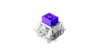
Interrupteur magnétique méduse
0:00
Commutateur de miel MelGeek
0:00
Stabilisateurs personnalisés
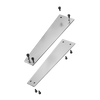
Moulé sur mesure exclusivement pour notre système à effet Hall afin d'offrir une stabilité structurelle de niveau supérieur. En isolant complètement les vibrations à haute fréquence des creux importants, ils éliminent les cliquetis et les bruits indésirables du boîtier tout en empêchant les doubles déclenchements accidentels causés par la résonance des interrupteurs.
Ingénierie acoustique pure
Dotée d'un support de joint en mousse acoustique avancé à 5 couches, cette architecture interne avale complètement la résonance de la cavité creuse. Il apprivoise les fréquences dures pour offrir un son de frappe incroyablement doux et profond et une sensation de fond amortie de qualité supérieure.
Puissant pilote HIVE
Cartographiez les touches et configurez les dispositions de manière intuitive avec une interface conviviale, tout en conservant un contrôle tactique total pour micro-ajuster chaque détail de performance.
Le centre de commandement Esports
Affinez les points d'actionnement globalement ou par touche. Faites l'expérience d'entrées instantanées à la pression et de réinitialisations sans latence au lancement, offrant une puissance d'arrêt d'élite et un contrôle de tir rapide à chaque milliseconde.
Extension esthétique de bureau
Intégrez votre logiciel à votre configuration physique. Personnalisez les arrière-plans et les alertes dynamiques flottantes pour transformer votre interface numérique en une extension transparente de votre ambiance de jeu sur ordinateur.
Dans la boîte
Customer Reviews
Overall rating: 5.0 / 5 from 11 reviews.
Simplesmente perfeito... crio conteúdo, e jogo em alto nível no Rainbow 6, e esse teclado e completo para os dois sentidos! Digitacao excelente, som muito agradável e a possibilidade de configurar a quantidade de mm para acionamento da tecla me deixa com controle total dentro do game!! Teclado excelente!!
This is a truly great keyboard when haimu dove quiet switches are added to it, as well as Nuphy Canopus shine through key caps. Some rgb HE keyboards, such as the Hex80 HE keyboard, are not bright enough to work with Canopus shine through key caps (the only good quality polycarbonate south facing keycaps I am aware of) but this one definitely is on the brightest option.
I have compared this keyboard with the $100 more expensive HEX80 keyboard and it is better, not only because of the shine through option but because the software is more comprehensive. For example, with Hex80 I can only do a macro of 8 characters long and have to manually edit the ms delay. With this keyboard the macro can be about 32 characters long and I can either edit the ms delay manually or make it a fixed delay eg 30 ms for all inputs at the click of a button. Plus, I can have macros looping a set number of times or make a "toggle macro" that loops until I repress the key to turn it off. For example, I can create a macro that loops planting seeds in a farming game until I turn it off. This can't be done with the Hex80.
The software is not as intuitive as the Hex80 but once you get used to it, it is pretty easy to use. You just need to remember to click the virtual keyboard after creating DKS etc or otherwise it won't work because it won't have a trigger key (a reminder popup would be helpful here). Setting rgb colours is not as easy as it could be, as dull white keys on the virtual keyboard are active/change colour and bright ones not (but look too similar to each other, a thick boarder around the dull white keys that will change to the selected colour would make it much easier and using dull white instead of bright white to signify active keys is also counterintuitive) and menu labelling is not intuitive (why have calibration and key switch options under rapid trigger menu option).
But these are all minor issues. Tried heaps of HE keyboards and this is the best, including Wooting, which does not even have onboard macros.
My first gaming keyboard. Super responsive and light keys! A few weeks in and I’m still training myself to not accidentally press neighboring keys since with a light tap down, just a couple mm, it registers as a keystroke. I’m aware there’s custom settings (via website rather than downloadable bloatware, somehow, which is nice) to change the activation depth though to prevent accidental keystrokes, and this might also might align better with my old habit of pressing keys hard (as a pianist and a typist who grew up on cheap, flat chiclet keyboards lol).
The HE technology is perfect for rhythm games that require minimal input lag and tight timing precision to play effectively; on ADOFAI my calibration hovered around 75 ms input lag (probably dominated by other components in my PC system which are mid-high tier) and on Bits and Bops my reported input lag was 12 ms. As a result, I’ve been performing with much more consistency and achieving more “Perfect” scores in my rhythm games, even accounting for accidental presses of neighboring keys.
Lastly, the build feels really sturdy, with no deck flex, and unlike the vast majority of keyboards out there, the black/yellow/amber tones of the honey sulfur model was PERFECTLY in sync with my preferred color scheme. Absolutely worth it. I can’t speak for all the advanced customization options available, but from out of the box the purchase is already more than worth it.
Real81 is the real deal! My friend has been using the Real67, and was try it before, and I noticed that can performs much better in games compared with his previous ordinary keyboard. That really made me want to try one myself.
However, I prefer a larger layout for both daily work and gaming, so I chose the Real81. It has a simple but thoughtful design with great details. For now, the Rapid Trigger (RT) settings and gaming configurations are already enough for my gaming needs.
The overall experience has been great so far. If my gaming performance continues to improve in the future, I might upgrade to the Centauri80 or the Made84 V2 (especially if it comes with a similar design).
Really enjoying this keyboard!
In my previous review I criticized that the software does not have a pop up reminder to set trigger keys, for example when setting DKS. But I just tested it out and realized it does this now.
I also criticised the rgb setting software as not being obvious enough, the difference in colour of keys on virtual keyboard that are "active" and will change to the selected colour and those that won't. But looking at it again, the difference between light grey background (will change colour) and white background (won't change colour) is distinctive enough.
Le MelGeek REAL81 en vaut-il la peine par rapport à un clavier mécanique classique ?
Le principal avantage du REAL81 est l'actionnement réglable : chaque touche se déclenche de 0, 1 à 3, 4 mm par pas de 0, 01 mm, avec Rapid Trigger, un taux d'interrogation de 8 000 Hz et une réponse de 0, 125 ms. Un clavier mécanique ordinaire a un point d'actionnement fixe et aucune entrée analogique. Le REAL81 coûte 139 $.
Le REAL81 est-il bon pour taper ou simplement pour jouer ?
C'est super pour les deux. Le REAL81 associe un support de joint à un système d'amortissement Poron/silicone à 5 couches pour un son de frappe Hi-Fi profond et propre. Définissez un point d'actionnement plus profond (par exemple 1, 0 à 1, 5 mm) pour une frappe confortable et laissez Rapid Trigger activé pour les jeux.
Quelles fonctionnalités concurrentes le REAL81 offre-t-il pour les jeux FPS ?
Le REAL81 prend en charge la résolution SOCD, la frappe dynamique (DKS) et un arrêt d'urgence AD. Chaque touche prend un point d'actionnement personnalisé à partir de 0, 1 mm, plus une super touche pour une couche de liaison supplémentaire. Vous les définissez par profil dans Hive pour le contre-mitraillage et les combos.
Comment configurer le déclenchement et l'actionnement rapides sur le REAL81 ?
Ouvrez l'onglet performances dans Hive. Réglez la course d'actionnement de 0, 1 à 3, 4 mm et le déclenchement rapide de 0, 01 à 2, 5 mm, par pas de 0, 01 mm. Rapid Trigger déclenche et réinitialise une touche lorsque vous la déplacez, ce qui convient au contre-mitraillage rapide et aux tapotements répétés. Maintenez la pression et le relâchement à proximité de 0, 2 à 0, 3 mm au début pour éviter les déclenchements accidentels.
De quoi sont faits le boîtier et la plaque du REAL81 ?
Le REAL81 dispose d'un boîtier ABS et PC avec une plaque en aluminium anodisé argent. Il pèse environ 1 100 g. Un support de joint et une pile de mousse à 5 couches se trouvent à l'intérieur pour une sensation de solidité et un son grave. L'angle de frappe est d'environ 6, 5 degrés.
Puis-je charger les paramètres d'un joueur professionnel sur le REAL81 ?
Oui. Le REAL81 comprend des profils prêts à l'emploi utilisés par l'équipe d'esports DRG, chargés en un clic dans MelGeek Hive. Vous pouvez également créer, enregistrer et modifier vos propres profils par clé. Chacun stocke la profondeur d'actionnement, les courbes de déclenchement rapide et le mappage des touches, afin que vous puissiez échanger instantanément les configurations.