








Need a Support or Guide?
Explore our Buying Guide to find your perfect MelGeek keyboard.




Explore our Buying Guide to find your perfect MelGeek keyboard.

Check out our FAQ section or reach out to us directly—we’re happy to assist.
Couleur:
Option:
Quantity

Les accessoires sont facultatifs et facturés séparément. Les réductions, les frais d'expédition et les taxes sont calculés dans votre panier et au moment du paiement. Vous pouvez modifier chaque article de votre panier.
Vérifiez votre panier


Explore our Buying Guide to find your perfect MelGeek keyboard.
Check out our FAQ section or reach out to us directly—we’re happy to assist.

“Overall, the MelGeek O2 provides an enjoyable typing experience that combines the speed and smoothness of a mechanical keyboard with the convenience and compatibility Mac users expect.”
@Nicholas Calderone

“I have tested many keyboards in my quest to find the best daily user for my workspace, and while many come close, the O2 from MelGeek sticks the landing.”
@Brian Patterson

“If you're looking to switch from your Magic Keyboard, the O2 for Mac could be one of the top options. MelGeek's offering is priced competitively and might be the better choice for the right user.”
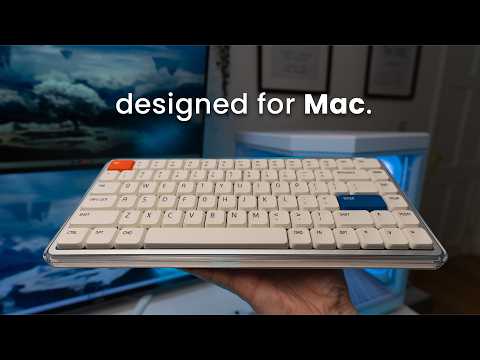
In the fast-paced digital world, MelGeek believes technology should be both efficient and a source of calm. Designed for the modern Apple user, the O2(for Mac) keyboard blends seamlessly into your minimalist setup while expressing a unique style, making every interaction a breath of fresh air.

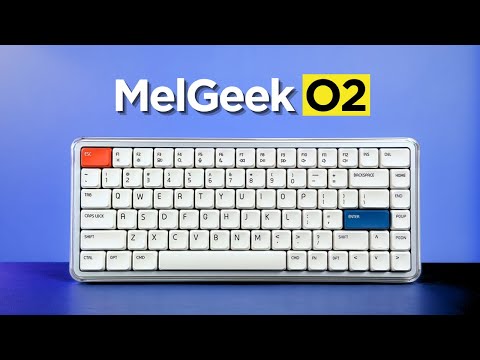
Pure, light, and essential. The O2(for Mac) captures the essence of air with a crystal-clear high-transparency frame and a sophisticated white base, artfully combining satin and gloss finishes.
This creates a visually layered, refreshing presence that aligns perfectly with the clean aesthetic of your MacBook, brightening your desk and your workflow.

The MelGeek O2(for Mac) is crafted specifically for Mac users, delivering a seamless experience that mirrors every detail of your MacBook’s keyboard-from its sleek design to the intuitive system integration.
Every aspect, from key layout and functional zones to FN shortcuts and the subtle rounded corners of the keycaps, is meticulously matched to ensure a natural, native transition for your eyes and your fingertips.

Experience more comfort and control with MIA’s PBT keycaps-designed for low-profile switches, with a larger surface, a silky touch, and lasting durability.

Create your ideal workspace vibe with dual ambient side lights and vibrant backlighting, all featuring 16 million-color RGB effects. Effortlessly customize breathing or static lighting modes through the Hive 2.0 and instantly elevate your desk with immersive, mood-setting illumination.

The intelligent 83-key layout retains all essential functions within a reduced footprint, freeing up valuable desk space.

Its slim profile and gently rounded edges are crafted for ergonomic comfort, ensuring a natural and fatigue-free typing experience, even during long sessions.


MelGeek O2(for Mac) is engineered for a superior sensory experience. With gasket mount and exclusive switch, its advanced acoustic and suspension system delivers comfort you can feel and sound you’ll love, every day.


Co-developed by KAILH, the transparent Sunshine Switch with orange stem offers a light, smooth linear feel and a soft, cushioned sound-ideal for work and study. Compatible with over 95% of S-size mechanical keyboards (excluding magnetic switches).
O2(for Mac) Typing Sounds

Equipped with a high-performance Nordic chipset and an ultra-fast 1000Hz polling rate, O2(for Mac) ensures lightning-fast, zero-lag input-delivering a truly native typing experience for power users.
Ready to use right out of the box, the O2(for Mac) offers effortless typing, familiar shortcuts, and media controls-no learning curve required. Instantly switch between up to eight devices, from your MacBook to your iPad and iPhone, for a seamless workflow across Mac OS, Windows, and more.
For those who value both aesthetics and productivity, O2(for Mac) is the truly native keyboard that brings the Mac experience perfectly to your desktop and beyond.


Powered by a substantial 2500mAh battery, the O2(for Mac) is built to keep up with your work rhythm without constant recharging.


Overall rating: 4.8 / 5 from 112 reviews.

La experiencia con este teclado ha sido excelente. Su perfil bajo permite escribir con gran comodidad, mientras que el sonido de las teclas resulta muy agradable. Además, cuenta con un diseño atractivo y ofrece distintas opciones de configuración. Tengo varios teclados mecánicos, incluidos algunos de Apple, pero considero que este es el que ofrece la mejor experiencia en cuanto a diseño, comodidad y sonido.

Exceptional build quality, incredible sound and feel. The best low profile keyboard so far.

I couldn’t be happier with the MelGeek O2 . From the moment I started using it, it was clear that this is a thoughtfully designed, premium product. The build quality is outstanding… solid, well-balanced, and with a finish that feels both durable and refined. Typing on it is an absolute pleasure. The key feel is smooth, responsive, and satisfying without being overly loud, making it perfect for both focused work and everyday use. What really stands out is the attention to detail. Everything from the layout to the overall ergonomics feels intentional and well-executed. It’s comfortable to use for long periods, and it genuinely enhances the typing experience rather than just getting the job done. I also appreciate how seamlessly it fits into a clean, modern workspace. It’s not just a functional tool… it’s something you actually enjoy having on your desk. Overall, I’m extremely pleased with this keyboard. It strikes an excellent balance between performance, aesthetics, and comfort. Highly recommended for anyone looking to upgrade their setup.

Nice typing keyboard, very smooth and with a nice sound. The keys require a tad bit more force to press to my liking, but it is still great to type on.

No complaints 10/10

This keyboard is a work of art, love how quiet and comfy the switches are! Totally recommended!

I’ve been using the MelGeek O2 low-profile mechanical keyboard, and it’s genuinely one of the most comfortable keyboards I’ve typed on. The low-profile design makes a big difference my wrists feel more relaxed, especially during long coding sessions, and there’s noticeably less strain compared to standard mechanical keyboards. The typing experience is smooth and satisfying, with that creamy keystroke sound that’s quiet but still tactile enough to enjoy. It feels premium without being distracting, which really helps when you’re trying to stay focused. The keyboard is also sleek, compact, and well-built, making it perfect for both work setups and everyday use. Overall, the MelGeek O2 strikes a great balance between ergonomics, performance, and aesthetics. If you spend most of your day on a keyboard and care about comfort as much as functionality, this is definitely a solid choice.

Melgeekが得意なポリカボディは質感もあり高級感があります。ポップなデザインでありながら質感が高く満足しています。音質はロープロファイルにありがちなペチペチした音ではなく、ChocV2としては非常に抑制の効いた音です。経験に基づいたよく作り込まれた製品です。

Absolutely excellent keyboard! Throughout the days or week, I will swap keyboards out back and forth since they all have a different feel and sound to them, but I have to say that I get genuinely excited when I reach for the O2. Build quality is top quality, the aesthetics of the board are just beautiful, and the feel is incredible. The gasket mount offers a nice cushioned experience when typing, the switches are buttery smooth and provide a nice tackity-tack when typing. It’s a nice, bright thock that’s pleasant to the ears. RGB is bright and pretty, with the side accents being a nice touch! Magnetic feet are super convenient and the keyboard works well sitting on top of my MacBook Air M4. Connectivity has been solid through Bluetooth, 2.4ghz and wired modes. I like the idea of being able to hot swap this keyboard, but with how nice it is already, I don’t think I would change a thing about this board. The only downside I have to this board is that it cannot be taken apart. I personally have no need to do that, but for the sake of others who wants to add or remove foam, maybe tape mod the board, it’s not possible. Other than that, the board is perfect for me and will continue to be in my lineup going forward. Great job, MelGeek!

ok

Great keyboard. I prefer this typing feel over my magic keyboard. Great tonal sound when typing. Using it to switch between both Mac studio and work laptop now. Please refer to my other review with photo. Very happy with the purchase and build quality. Using it via Bluetooth connectivity and it is very responsive.

I love its design!

My first mechanical keyboard. Low profile which I prefer. Bought this to use with my windows pc but also with mac studio as well. You can switch between profiles very easily. It feels great to type with and has a very comfortable angle to make typing easy. Almost prefer this over my apple magic keyboard for typing feel. I still use the magic however as it has touch id and I am using it with a studio. Would highly recommend the o2 keyboard for macbook users.

best keyboard i've ever used!

Beautiful, elegant, love it!

This is an almost perfect keyboard. Tactiles are great, with a key advance that is close to perfect for a low-profile keyboard. Sound is amazing, buttery, discreet, but still pleasant to hear, and the features are generally great. Navigating the keyboard is easy and intuitive, with no connection problems on a MacBook Pro 14". The only downside is that double or triple input on my W key. It can be pretty annoying, and I am not sure if it will be a production issue that other keyboards will have as well. So far, it has not been a dealbreaker; however, I am not sure if it will become one in the future. Makes it fall from the excellent mark.

The keyboard is nice, feels good to type with and carry around. The keyboard could be better as it has a very low battery life. I feel as though it is running out after an hour or so of using it and starts to stop registering my button presses. It also would be nice to come with a case or bag to hold the keyboard while carrying it around. If there was a space for the usb to be stored within the keyboard it would also add to the fact it’s able to be lightweight and movable. I tend to use it with my MacBook and move from different locations. Otherwise solid keyboard and happy with price.

Honestly awesome. I have the Mojo and hesitated taking it to office but this one works.

Amazing keyboard! Great sound, packaging, and overall experience. And just look how incredible it looks with Work Louder keycaps. I really love it!

Very good keyboard. Smooooothy switches. Love it!

Love it!!

I love the feel of keys and switches out of box. Only issue is brightness keys on F1 and F2 and Fn key does not bring up emoji window. I am sure this can be fixed with firmware. Still I give 5 out of 5 for looks and feel. Lighting is great. I am always pleased with melgeek keyboards. This is coming from someone who has 3 or 4 keyboards from each of the competitors. Melgeek and lofree are my daily drivers.

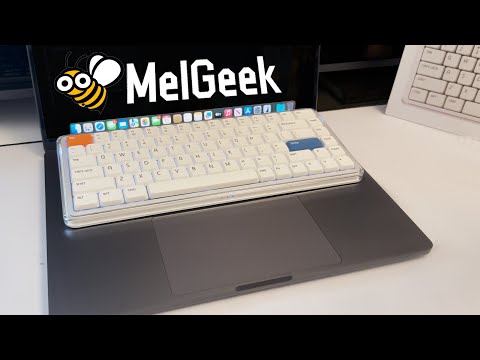
This keyboard works great with a Mac. It’s just slightly bigger than the built-in MacBook keyboard, you can place it right on top without pressing any keys by mistake. Super convenient and comfortable!
Love the feel of the keys, the creamy sound when typing, and the look of it. Set up was easy. My favorite keyboard so far.
.
Very nice.
Love it!
My best low profile keyboard. I love it!
Beautiful to look at, even more beautiful sounds coming out of it! I own a few low profile keyboards and this has got to be my best one yet out of the box. No flaws so far, from the aesthetics to the typing sound and feel, to the construction quality, to the functionality. No firmware quirks, wakes up from sleep instantly and registers the first key without fault, the space bar is so nicely tuned (better than all my keyboards, including premium ones). I kind find any faults for my use case and preferences.
I wasn't planning on writing a review, but MelGeek insisted I write one, they keep sending me emails. The delivery time was longer than stated, it took such a long time to be delivered. The keyboard itself is okay but trying to administrate the software is hard af, I can't get it to work reliable to work wirelessly. Not only that but the battery percentage appears to be reported incorrectly, the keyboard died but it reported it was at 63% consistently.
The feel, responsiveness and the sound this board makes is just heaven.
great keyboard, killer feature - fast connection after idle period. I had a number of keyboards, and this one is the fastest in terms of awaking time. What is not good, is battery life with active backlight - when it's on, keyboard lives around couple of days only.
Love it!
it's great. wish it had a num pad though
The kind of keyboard I was looking for, soft, cozy sound and very comfortable. The typing experience is actually incredible.
It types nicely. I'm still getting used to mechanical keyboards in general since I switched from a apple magic keyboard
I love the my O2 keyboard. I use it at home and carry it to work. My coworker said it looks cool.
Great keyboard! The typing experience is smooth
Feels great to type on, sounds amazing and works great for me.
I LOVE this keyboard. The aesthetic and versatility are unmatched. Perfect for what I was wanting!
FREQUENTLY ASKED QUESTIONS
Is O2 for Mac designed for Mac users?
Yes, O2 for Mac is designed for Mac users who want a more familiar external keyboard experience. Its Mac-friendly key layout, functional zones, FN shortcuts, and low-profile typing feel help users move from a MacBook keyboard to a desktop setup.
What is the difference between MelGeek O2 and O2 for Mac?
MelGeek O2 and O2 for Mac share the same core typing, wireless, and low-profile keyboard experience. The main difference is the layout experience, because O2 for Mac is tuned for users who prefer Mac-style key positions and shortcut habits.
Can O2 for Mac work with Windows?
Yes, O2 for Mac can work with Windows. It is Mac-first in layout positioning, but Windows users can still use the keyboard and adjust the setup with the included replacement keycaps when needed.
Is MelGeek O2 comfortable for long typing sessions?
Yes, MelGeek O2 is designed for long typing sessions. The low-profile key height helps reduce finger travel, while the MIA PBT keycaps, gasket mount, and adjustable typing angle support a more natural daily typing experience.
Do I need MelGeek Hive to use O2 for Mac?
No, O2 for Mac can be used for normal typing without software setup. MelGeek Hive is mainly useful when you want to remap keys, adjust lighting, configure macros, or update firmware.
Does MelGeek O2 have a numpad?
No, MelGeek O2 uses an 83-key compact layout and does not include a numpad. This layout saves desk space, but users who enter numbers all day may prefer a larger keyboard.
|
Comparison |
| Couleur |
| Nombre de touches |
| Matériau du boîtier |
| Matériau des touches |
| Taux d'interrogation |
| Commutateur |
| Rétroéclairage |
| RT Précision |
| Zone morte |
| Latence |
| Prix |
|
|
|
Couleur
N/A
|
|
Nombre de touches
N/A
|
|
Matériau du boîtier
N/A
|
|
Matériau des touches
N/A
|
|
Taux d'interrogation
N/A
|
|
Commutateur
N/A
|
|
Rétroéclairage
N/A
|
|
RT Précision
/
|
|
Zone morte
N/A
|
|
Latence
N/A
|
|
Prix
N/A
|

