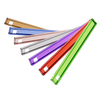
Kaufen Sie Real81 und erhalten Sie kostenlose Tastenkappen
00:00:00:00
Ultra-low Latency of 0.125ms
8000Hz Polling Rate & 16K Scanning Rate
Rapid Trigger & Hyper Tap
Adaptive Hall Correction Algorithm
16-million Color RGB (South-facing LEDs)
Gasket Mount(5-Layer Sound-Dampening)
Farbe: Sulfur-Honey Switch
Auf Lager, versandfertig
Häufig zusammen gekauft
Horus Leichtgewichtige 8k Polling Gaming-Maus
Zubehör ist optional und wird separat berechnet. Rabatte, Versand und Steuern werden in Ihrem Warenkorb und an der Kasse berechnet. Sie können jeden Artikel in Ihrem Warenkorb bearbeiten.
Dimensions: Approx. 330 mm (L) × 140mm (W) × 44 mm (H)
Weight: Approx. 1100 g
Typing Angle: Approx. 6.5°
Konnektivität und Kompatibilität
Connection: Wired (Single-mode)
USB Polling Rate: 8,000 Hz
Supported Systems: Windows, macOS, Linux
In der Box
MelGeek REAL81 Keyboard*1
Warranty card *1
Brand card *1
User manual *1
USB cable *1
Keycap puller *1
Extra keycaps *5
MelGeek bee sticker *1
Kundendienstrichtlinie
Shipping: Enjoy fast, reliable, and trackable global shipping with estimated delivery within 3–5 business days.
Return: Enjoy 30-day hassle-free returns and a 30-day quality guarantee. Refunds are typically processed within 5–7 business days.
Warranty: All magnetic keyboards include a 2-year warranty, while mechanical keyboards, mice, and accessories are covered for 1 year. For any product inquiries or support assistance, please feel free to contact our support team at service@melgeek.com.
Schalten Sie Ihren Höhepunkt mit dem Hall Effect Rapid Trigger frei. Durch das Zurücksetzen der Taste im Handumdrehen – mit einem Hub von nur 0,1 mm – entfällt die klebrige, träge Verzögerung herkömmlicher mechanischer Schalter. Keine Geisterbilder, tote Eingaben oder verlorene Combos mehr. Ganz gleich, ob Sie komplexe Kombos mit Animationsunterdrückung ausführen oder aus feindlichen Ultimaten ohne physische Latenz herausblitzen, Sie werden immer als Erster zuschlagen.
Dynamischer Tastendruck
Ein Schlüssel, vier verschiedene Aktionen
Ein Schlüssel. Mehrere Aktionen. In FPS-Spielen können mit einem einzigen Tastendruck nahtlos komplexe Kombos ausgeführt werden – etwa das Ausrüsten und Werfen eines Blitzes oder das sofortige Umschalten zwischen einem Sprint und einem lautlosen Spaziergang – und so bis zu vier Aktionen in einer sanften Bewegung ausgelöst werden.
SOCD
Absoluter Not-Aus
Wenn zwei ausgewählte Tasten gleichzeitig gedrückt werden, löst die Tastatur nur die zuletzt gedrückte Taste aus und stoppt gleichzeitig die andere. Wir helfen Ihnen, sich im chaotischen Nebel des Krieges neu zu positionieren und die absolute Kontrolle zu erlangen.
Der Goldene Schnitt: Weltraum trifft auf ultimative Kontrolle
Maximieren Sie Ihre Kampfzone, ohne auf Schlüssel zu verzichten. Indem Sie das Eigengewicht eines Mainboards in voller Größe über Bord werfen, erhalten Sie enorme, uneingeschränkte Mausfläche – und erhalten die physikbasierte Freiheit, makellose Wischbewegungen bei niedrigen DPI-Werten, 180-Grad-Wendebewegungen und aggressive Kupplungsbewegungen auszuführen.
Die Allrounder-Gaming-Tastatur
Behalten Sie Ihre wichtigen Schlüssel und verschönern Sie gleichzeitig Ihren Schreibtischplatz. Durch die Beibehaltung des dedizierten Pfeilclusters und der F-Reihe wird maximale Kompatibilität über alle Genres hinweg gewährleistet – sodass Sie sofort die Kontrolle über Ihr Muskelgedächtnis haben, um in Dota 2, League of Legends, CS2 und Fortnite zu dominieren.
Optimierte Effizienz mit einem Klick
Beherrschen Sie Ihren Workflow ohne Unordnung. Durch die Beibehaltung der dedizierten F-Reihe und der Multifunktionsverknüpfungen können Sie komplexe Systembefehle, Medienwiedergaben und leistungsstarke Makros in mühelose Eingaben mit nur einem Fingertipp komprimieren.
Intelligente Audiosynchronisierung
Unterstützt durch die HIVE-Software für eine einwandfreie Audio-zu-Video-Synchronisierung ohne Latenz. Die dynamische Vollzonen-Hintergrundbeleuchtung fängt und verarbeitet rohe Audiosignale im Handumdrehen auf Hardware-Ebene und verwandelt jeden Schlag, jeden Schuss und jede subtile Schallwelle sofort in eine faszinierende Echtzeit-Lichtshow, die Ihr gesamtes Gaming-Setup zum Leben erweckt.
Mit der Aktion synchronisieren
Erleben Sie eine tiefe Echtzeitintegration mit Valorant und anderen. Von Fertigkeitsabklingzeiten und kritischen Kills bis hin zu Match-Winning-Momenten reagiert Ihre Tastatur sofort auf jedes Spielereignis. Tauchen Sie ein in die Action mit 16,8 Millionen leuchtenden Farben, die Ihr Setup in eine nahtlose Erweiterung des Spiels verwandeln.
Panorama-RGB-Vitrine
Befreien Sie sich vom Schatten traditioneller Tastenkappen. Dieses aus hochwertigen, mattierten, halbtransparenten PC-Tastenkappen gefertigte Gehäuse entfaltet Ihre RGB-Hintergrundbeleuchtung vollständig. Es verbreitet jedes Lumen in Ihrem Setup und verwandelt Ihren gesamten Desktop sofort in eine zutiefst immersive, neondurchflutete Kampfstation.
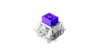
Quallen-Magnetschalter
0:00
MelGeek Honey Switch
0:00
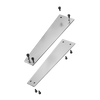
Kundenspezifische Stabilisatoren
Exklusiv für unser Hall-Effekt-System speziell geformt, um strukturelle Stabilität der nächsten Stufe zu bieten. Durch die vollständige Isolierung hochfrequenter Vibrationen von starken Durchschlägen verhindern sie Klappergeräusche und unerwünschte Gehäusegeräusche und verhindern gleichzeitig versehentliche Doppelauslösungen durch Schalterresonanzen.
Reine Akustiktechnik
Ausgestattet mit einer fortschrittlichen 5-lagigen Akustikschaum-Dichtungshalterung schluckt diese Innenarchitektur Hohlraumresonanzen vollständig. Es zähmt raue Frequenzen und liefert einen unglaublich sanften, tiefen Tastenklang und ein erstklassiges, gedämpftes Schlaggefühl.
Leistungsstarker HIVE-Treiber
Ordnen Sie Tasten zu und konfigurieren Sie Layouts intuitiv mit einer benutzerfreundlichen Oberfläche, während Sie die volle taktische Kontrolle behalten, um jedes Leistungsdetail fein abzustimmen.
Das Esports Command Center
Passen Sie die Betätigungspunkte global oder pro Taste fein an. Erleben Sie sofortige Eingaben beim Drücken und latenzfreie Zurücksetzungen beim Loslassen, mit erstklassiger Bremskraft und Schnellfeuerkontrolle in jeder Millisekunde.
Desktop-Ästhetische Erweiterung
Integrieren Sie Ihre Software in Ihr physisches Setup. Passen Sie Hintergründe und schwebende dynamische Benachrichtigungen an, um Ihre digitale Benutzeroberfläche in eine nahtlose Erweiterung Ihrer Desktop-Gaming-Atmosphäre zu verwandeln.
In der Box
Customer Reviews
Overall rating: 5.0 / 5 from 11 reviews.
Simplesmente perfeito... crio conteúdo, e jogo em alto nível no Rainbow 6, e esse teclado e completo para os dois sentidos! Digitacao excelente, som muito agradável e a possibilidade de configurar a quantidade de mm para acionamento da tecla me deixa com controle total dentro do game!! Teclado excelente!!
This is a truly great keyboard when haimu dove quiet switches are added to it, as well as Nuphy Canopus shine through key caps. Some rgb HE keyboards, such as the Hex80 HE keyboard, are not bright enough to work with Canopus shine through key caps (the only good quality polycarbonate south facing keycaps I am aware of) but this one definitely is on the brightest option.
I have compared this keyboard with the $100 more expensive HEX80 keyboard and it is better, not only because of the shine through option but because the software is more comprehensive. For example, with Hex80 I can only do a macro of 8 characters long and have to manually edit the ms delay. With this keyboard the macro can be about 32 characters long and I can either edit the ms delay manually or make it a fixed delay eg 30 ms for all inputs at the click of a button. Plus, I can have macros looping a set number of times or make a "toggle macro" that loops until I repress the key to turn it off. For example, I can create a macro that loops planting seeds in a farming game until I turn it off. This can't be done with the Hex80.
The software is not as intuitive as the Hex80 but once you get used to it, it is pretty easy to use. You just need to remember to click the virtual keyboard after creating DKS etc or otherwise it won't work because it won't have a trigger key (a reminder popup would be helpful here). Setting rgb colours is not as easy as it could be, as dull white keys on the virtual keyboard are active/change colour and bright ones not (but look too similar to each other, a thick boarder around the dull white keys that will change to the selected colour would make it much easier and using dull white instead of bright white to signify active keys is also counterintuitive) and menu labelling is not intuitive (why have calibration and key switch options under rapid trigger menu option).
But these are all minor issues. Tried heaps of HE keyboards and this is the best, including Wooting, which does not even have onboard macros.
My first gaming keyboard. Super responsive and light keys! A few weeks in and I’m still training myself to not accidentally press neighboring keys since with a light tap down, just a couple mm, it registers as a keystroke. I’m aware there’s custom settings (via website rather than downloadable bloatware, somehow, which is nice) to change the activation depth though to prevent accidental keystrokes, and this might also might align better with my old habit of pressing keys hard (as a pianist and a typist who grew up on cheap, flat chiclet keyboards lol).
The HE technology is perfect for rhythm games that require minimal input lag and tight timing precision to play effectively; on ADOFAI my calibration hovered around 75 ms input lag (probably dominated by other components in my PC system which are mid-high tier) and on Bits and Bops my reported input lag was 12 ms. As a result, I’ve been performing with much more consistency and achieving more “Perfect” scores in my rhythm games, even accounting for accidental presses of neighboring keys.
Lastly, the build feels really sturdy, with no deck flex, and unlike the vast majority of keyboards out there, the black/yellow/amber tones of the honey sulfur model was PERFECTLY in sync with my preferred color scheme. Absolutely worth it. I can’t speak for all the advanced customization options available, but from out of the box the purchase is already more than worth it.
Real81 is the real deal! My friend has been using the Real67, and was try it before, and I noticed that can performs much better in games compared with his previous ordinary keyboard. That really made me want to try one myself.
However, I prefer a larger layout for both daily work and gaming, so I chose the Real81. It has a simple but thoughtful design with great details. For now, the Rapid Trigger (RT) settings and gaming configurations are already enough for my gaming needs.
The overall experience has been great so far. If my gaming performance continues to improve in the future, I might upgrade to the Centauri80 or the Made84 V2 (especially if it comes with a similar design).
Really enjoying this keyboard!
In my previous review I criticized that the software does not have a pop up reminder to set trigger keys, for example when setting DKS. But I just tested it out and realized it does this now.
I also criticised the rgb setting software as not being obvious enough, the difference in colour of keys on virtual keyboard that are "active" and will change to the selected colour and those that won't. But looking at it again, the difference between light grey background (will change colour) and white background (won't change colour) is distinctive enough.
Lohnt sich die MelGeek REAL81 im Vergleich zu einer normalen mechanischen Tastatur?
Der Hauptvorteil des REAL81 ist die einstellbare Betätigung: Jede Taste löst von 0,1 bis 3,4 mm in Schritten von 0,01 mm aus, mit Rapid Trigger, einer Abfragerate von 8.000 Hz und einer Reaktionszeit von 0,125 ms. Eine normale mechanische Tastatur hat einen festen Betätigungspunkt und keinen analogen Eingang. Der REAL81 kostet 139 US-Dollar.
Eignet sich der REAL81 zum Tippen oder nur zum Spielen?
Es ist großartig für beide. Der REAL81 kombiniert eine Dichtungshalterung mit einem 5-lagigen Poron/Silikon-Dämpfungssystem für einen tiefen, sauberen Hi-Fi-Tippklang. Stellen Sie einen tieferen Betätigungspunkt ein (z. B. 1,0–1,5 mm), um komfortables Tippen zu ermöglichen, und lassen Sie Rapid Trigger zum Spielen eingeschaltet.
Welche Wettbewerbsfunktionen bietet der REAL81 für FPS-Spiele?
Der REAL81 unterstützt SOCD-Auflösung, dynamischen Tastendruck (DKS) und einen AD-Notstopp. Jeder Schlüssel verfügt über einen benutzerdefinierten Betätigungspunkt ab 0,1 mm sowie einen Superschlüssel für eine zusätzliche Bindungsschicht. Sie legen diese pro Profil in Hive für Counter-Strafing und Combos fest.
Wie richte ich den Schnellauslöser und die Auslösung am REAL81 ein?
Öffnen Sie die Registerkarte „Leistung“ in Hive. Stellen Sie den Betätigungsweg von 0,1–3,4 mm und den Schnellauslöser von 0,01–2,5 mm in Schritten von 0,01 mm ein. Rapid Trigger feuert eine Taste ab und setzt sie zurück, während Sie sie bewegen, was für schnelles Gegenangriffen und wiederholtes Tippen geeignet ist. Halten Sie das Drücken und Loslassen zunächst in der Nähe von 0,2 bis 0,3 mm, um ein versehentliches Auslösen zu vermeiden.
Woraus bestehen das Gehäuse und die Platte des REAL81?
Der REAL81 verfügt über ein ABS- und PC-Gehäuse mit einer eloxierten silbernen Aluminiumplatte. Es wiegt etwa 1100 g. Im Inneren sorgen eine Dichtungshalterung und ein 5-lagiger Schaumstoffstapel für ein solides Gefühl und einen tiefen Klang. Der Tippwinkel beträgt etwa 6,5 Grad.
Kann ich Pro-Player-Einstellungen auf den REAL81 laden?
Ja. Der REAL81 enthält vorgefertigte Profile, die vom DRG-Esportteam verwendet werden und mit einem Klick in MelGeek Hive geladen werden können. Sie können auch Ihre eigenen Pro-Tasten-Profile erstellen, speichern und wechseln. Jedes speichert die Betätigungstiefe, die Rapid-Trigger-Kurven und die Tastenbelegung, sodass Sie die Einstellungen sofort ändern können.