Shipping: Enjoy fast, reliable, and trackable global shipping with estimated delivery within 3–5 business days.
Return: Enjoy 30-day hassle-free returns and a 30-day quality guarantee. Refunds are typically processed within 5–7 business days.
Warranty: All magnetic keyboards include a 2-year warranty, while mechanical keyboards, mice, and accessories are covered for 1 year. For any product inquiries or support assistance, please feel free to contact our support team at service@melgeek.com.
Tech Review
Need a Support or Guide?
Explore our Buying Guide to find your perfect MelGeek keyboard.
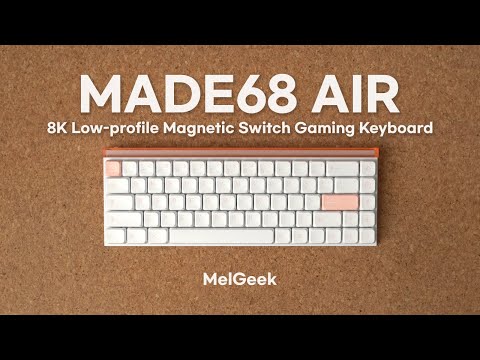
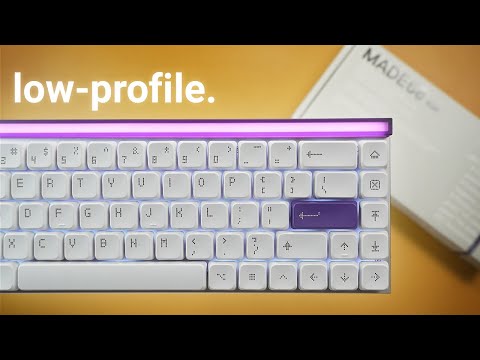
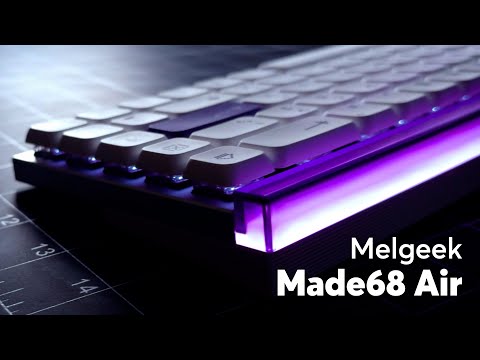
MelGeek's premier all-aluminum low-profile magnetic keyboard. Its "MADE" modular design meets shorter-travel switches for lightning-fast responses. This isn't just a keyboard, it's an elevated gaming and typing experience.
Features
Feel & Sound
Dynamic Switch
Effortlessly enjoy quick and smooth transitions between diffferent games
A Keyboard That Grows With You
When you choose the Made68 Pro, you're investing in its future. It's built on our exclusive, end-to-end solution, giving us the power to innovate faster than anyone else. Unlock full personalization with Hive - MelGeek's in-house software, refined over 11 years. With our industry-leading W.i.N+ optimization and adaptive Hall correction, you get unwavering stability. Our redesigned Hive software makes customization simple, and you'll soon be able to apply pro-player settings.
Love the feel of the keyboard. Probably the best feeling switches I've used thusfar. Incredibly responsive. Just wish it had F1-F12 instead of needing the key combo, for programming reasons.
The board is very quick in general and definitely feeling better than my Wooting 60HE+ (which I replaced with the AIR68). Lack of Tachyon mode (1ms vs 2ms slowing down the board would be a must in future with a software update or having lower hertz and scanning rate option to choose from). Quality is SuperB , sound is clacky but I'm used to it know. Keycaps are same as Nuphy - could be better more sturdier , but you can use low or high profile keycaps (any you can find on the internet). Would be great if you add a few switches extra with the board as apperantly you don't sell them? The switch itself is amazing TTC Magnetto mini, I used to use them with my Wooting - as expected it is great! This is basically the very second option low profile analog board other than Nuphy's Air HE and I prefer it.
The feel of the keyboard is amazing, also the quality is outstanding. I love the software as well.
Been using it for almost a month. So far so good, nothing to say!
I'm just not used to the keyboard keys spacing yet, but product is good
Is MADE68 Air better for FPS gaming or everyday typing?
MADE68 Air fits FPS-first setups more than typing-heavy office setups. The low-profile magnetic switches, 8,000Hz polling, and Rapid Trigger support fast movement inputs. MADE68 Air still works for daily typing, but users should set deeper actuation on typing keys if shallow triggers cause accidental presses.
Should I use the lowest actuation setting on every key?
No, the lowest actuation setting should not be the default for every key. Use shallow actuation for high-use gaming keys and deeper actuation for chat, number, or shortcut keys. This setup keeps fast movement inputs while reducing mistypes during typing or menu use.
Is MADE68 Air wireless or wired only?
MADE68 Air uses a wired single-mode USB connection. This design fits buyers who care more about stable desk gaming than cable-free use. If wireless pairing across multiple devices is the priority, MADE68 Air is not the right MelGeek model to choose.
Is MADE68 Air actually an all-aluminum keyboard?
MADE68 Air is not a pure aluminum body keyboard. The specification lists a CNC anodized aluminum alloy top case, a polycarbonate light cover, and an ABS plus PC bottom case. This material mix keeps the low-profile structure firm while avoiding a heavier full-metal shell.
Will the 68-key layout be a problem if I use function keys?
MADE68 Air uses 68 keys, so users access the function row through shortcuts instead of dedicated F1 to F12 keys. This layout gives more mouse room, but buyers who use function keys constantly for work may prefer a larger layout with a physical function row.
Does MADE68 Air work well for Mac and Linux users?
MADE68 Air supports Windows, macOS, and Linux. Core typing and wired input should work across those systems, while buyers should check advanced mapping or firmware work in HIVE before purchase. Mac users should confirm shortcut needs before replacing a Mac-first keyboard.