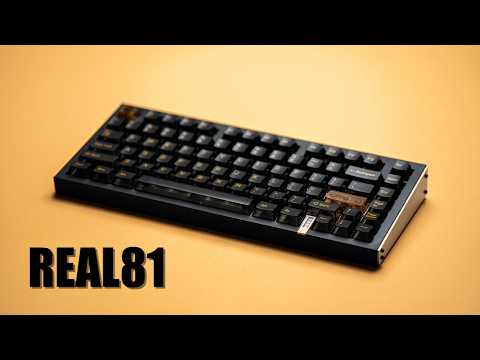
Dimensions: Approx. 330 mm (L) × 140mm (W) × 44 mm (H)
Weight: Approx. 1100 g
Typing Angle: Approx. 6.5°
接続性と互換性
Connection: Wired (Single-mode)
USB Polling Rate: 8,000 Hz
Supported Systems: Windows, macOS, Linux
イン・ザ・ボックス
MelGeek REAL81 Keyboard*1
Warranty card *1
Brand card *1
User manual *1
USB cable *1
Keycap puller *1
Extra keycaps *5
MelGeek bee sticker *1
アフターサポートポリシー
Shipping: Enjoy fast, reliable, and trackable global shipping with estimated delivery within 3–5 business days.
Return: Enjoy 30-day hassle-free returns and a 30-day quality guarantee. Refunds are typically processed within 5–7 business days.
Warranty: All magnetic keyboards include a 2-year warranty, while mechanical keyboards, mice, and accessories are covered for 1 year. For any product inquiries or support assistance, please feel free to contact our support team at service@melgeek.com.
Simplesmente perfeito... crio conteúdo, e jogo em alto nível no Rainbow 6, e esse teclado e completo para os dois sentidos! Digitacao excelente, som muito agradável e a possibilidade de configurar a quantidade de mm para acionamento da tecla me deixa com controle total dentro do game!! Teclado excelente!!
This is a truly great keyboard when haimu dove quiet switches are added to it, as well as Nuphy Canopus shine through key caps. Some rgb HE keyboards, such as the Hex80 HE keyboard, are not bright enough to work with Canopus shine through key caps (the only good quality polycarbonate south facing keycaps I am aware of) but this one definitely is on the brightest option.
I have compared this keyboard with the $100 more expensive HEX80 keyboard and it is better, not only because of the shine through option but because the software is more comprehensive. For example, with Hex80 I can only do a macro of 8 characters long and have to manually edit the ms delay. With this keyboard the macro can be about 32 characters long and I can either edit the ms delay manually or make it a fixed delay eg 30 ms for all inputs at the click of a button. Plus, I can have macros looping a set number of times or make a "toggle macro" that loops until I repress the key to turn it off. For example, I can create a macro that loops planting seeds in a farming game until I turn it off. This can't be done with the Hex80.
The software is not as intuitive as the Hex80 but once you get used to it, it is pretty easy to use. You just need to remember to click the virtual keyboard after creating DKS etc or otherwise it won't work because it won't have a trigger key (a reminder popup would be helpful here). Setting rgb colours is not as easy as it could be, as dull white keys on the virtual keyboard are active/change colour and bright ones not (but look too similar to each other, a thick boarder around the dull white keys that will change to the selected colour would make it much easier and using dull white instead of bright white to signify active keys is also counterintuitive) and menu labelling is not intuitive (why have calibration and key switch options under rapid trigger menu option).
But these are all minor issues. Tried heaps of HE keyboards and this is the best, including Wooting, which does not even have onboard macros.
My first gaming keyboard. Super responsive and light keys! A few weeks in and I’m still training myself to not accidentally press neighboring keys since with a light tap down, just a couple mm, it registers as a keystroke. I’m aware there’s custom settings (via website rather than downloadable bloatware, somehow, which is nice) to change the activation depth though to prevent accidental keystrokes, and this might also might align better with my old habit of pressing keys hard (as a pianist and a typist who grew up on cheap, flat chiclet keyboards lol).
The HE technology is perfect for rhythm games that require minimal input lag and tight timing precision to play effectively; on ADOFAI my calibration hovered around 75 ms input lag (probably dominated by other components in my PC system which are mid-high tier) and on Bits and Bops my reported input lag was 12 ms. As a result, I’ve been performing with much more consistency and achieving more “Perfect” scores in my rhythm games, even accounting for accidental presses of neighboring keys.
Lastly, the build feels really sturdy, with no deck flex, and unlike the vast majority of keyboards out there, the black/yellow/amber tones of the honey sulfur model was PERFECTLY in sync with my preferred color scheme. Absolutely worth it. I can’t speak for all the advanced customization options available, but from out of the box the purchase is already more than worth it.
Real81 is the real deal! My friend has been using the Real67, and was try it before, and I noticed that can performs much better in games compared with his previous ordinary keyboard. That really made me want to try one myself.
However, I prefer a larger layout for both daily work and gaming, so I chose the Real81. It has a simple but thoughtful design with great details. For now, the Rapid Trigger (RT) settings and gaming configurations are already enough for my gaming needs.
The overall experience has been great so far. If my gaming performance continues to improve in the future, I might upgrade to the Centauri80 or the Made84 V2 (especially if it comes with a similar design).
Really enjoying this keyboard!
In my previous review I criticized that the software does not have a pop up reminder to set trigger keys, for example when setting DKS. But I just tested it out and realized it does this now.
I also criticised the rgb setting software as not being obvious enough, the difference in colour of keys on virtual keyboard that are "active" and will change to the selected colour and those that won't. But looking at it again, the difference between light grey background (will change colour) and white background (won't change colour) is distinctive enough.