










サポートやガイドが必要ですか?
購入ガイドを参照して、最適な MelGeek キーボードを見つけてください。

色:
オプション:
Quantity

アクセサリはオプションであり、別途価格がかかります。割引、送料、税金はカート内およびチェックアウト時に計算されます。カート内の各商品を編集できます。
カートを確認してください


“総じて、MelGeek O2は、メカニカルキーボードのスピードと滑らかさに、Macユーザーが期待する利便性と互換性を兼ね備えた、快適なタイピング体験を提供します。”
@ニコラス・カルデロン

“私は自分の作業スペースに最適な日常使いのキーボードを探し求めて数多くのキーボードを試してきましたが、多くのキーボードがそれに近い性能を発揮したものの、最終的にMelGeekのO2が決定的な一台となりました。”
@ブライアン・パターソン

“Magic Keyboardからの乗り換えを検討しているなら、Mac用O2は有力な選択肢の一つとなるでしょう。MelGeekのこの製品は価格競争力が高く、適切なユーザーにとってはより良い選択肢となるかもしれません。”
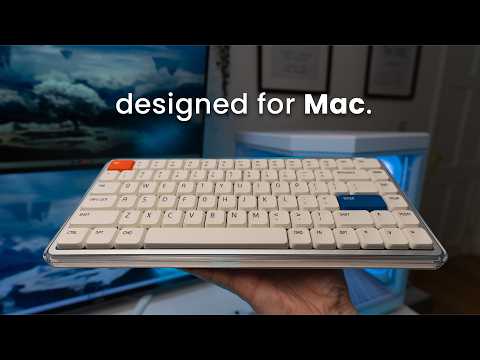
目まぐるしく変化するデジタル世界において、MelGeekはテクノロジーは効率的であると同時に、心の安らぎをもたらすものであるべきだと考えています。現代のAppleユーザー向けに設計されたO2(Mac用)キーボードは、ミニマルなデザインにシームレスに溶け込みながら、独自のスタイルを表現し、あらゆる操作を爽快なものにします。

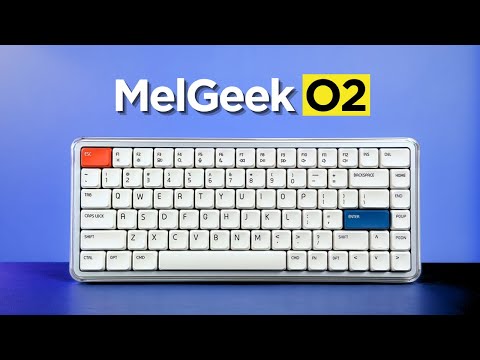
ピュアで、軽やかで、本質的。O2(フォーマック)は、クリスタルのように透明度の高いフレームと洗練されたホワイトベースで、空気のエッセンスを捉え、サテンとグロスの仕上げを巧みに組み合わせました。
これにより、視覚的に奥行きのある、新鮮な印象を与え、MacBookの洗練された美学と完璧に調和し、デスク周りとワークフローを明るくします。

MelGeek O2(Mac用)は、Macユーザーのために特別に設計されており、洗練されたデザインから直感的なシステム統合まで、MacBookのキーボードのあらゆるディテールを忠実に再現したシームレスな体験を提供します。
キーレイアウトや機能ゾーンから FN ショートカットやキーキャップの微妙に丸みを帯びた角まで、あらゆる側面が細心の注意を払って調整されており、目と指先にとって自然で自然な移行が保証されます。

MIA の PBT キーキャップはロープロファイル スイッチ用に設計されており、広い表面、滑らかなタッチ、長寿命を備え、より快適でコントロール性に優れています。

デュアルアンビエントサイドライトと鮮やかなバックライトを搭載し、1600万色のRGBエフェクトで理想的なワークスペースの雰囲気を演出します。Hive 2.0を使えば、ブリージングモードやスタティックモードの照明を簡単にカスタマイズでき、没入感のあるムード演出照明でデスク周りを瞬時にグレードアップできます。

インテリジェントな 83 キー レイアウトにより、すべての重要な機能が削減されたフットプリント内に保持され、貴重なデスク スペースが解放されます。

スリムなプロファイルと緩やかに丸みを帯びたエッジは人間工学に基づいた快適さを実現し、長時間のタイピングでも自然で疲れないタイピング体験を保証します。


MelGeek O2(Mac用)は、優れた感覚体験を実現するために設計されています。ガスケットマウントと独自のスイッチを備えた高度な音響およびサスペンションシステムにより、毎日実感できる快適さと、きっと気に入るサウンドを提供します。


KAILHとの共同開発による透明なサンシャインスイッチは、オレンジ色のステムを備え、軽やかで滑らかな直線的な感触と、柔らかくクッション性のあるサウンドを実現。仕事や勉強に最適です。95%以上の対応機種に対応しています。 Sサイズのメカニカルキーボード(磁気スイッチを除く)。
O2(Mac用)タイピング音

高性能なNordicチップセットと超高速1000Hzのポーリングレートを搭載したO2(Mac用)は、超高速で遅延のない入力を実現し、パワーユーザーに真にネイティブなタイピング体験を提供します。
O2(Mac用)は箱から出してすぐに使えるので、タイピングが楽々、使い慣れたショートカット、メディアコントロール機能など、学習は一切不要です。MacBookからiPad、iPhoneまで、最大8台のデバイスを瞬時に切り替えることができ、Mac OS、Windowsなど、複数のOS間でシームレスなワークフローを実現します。
美しさと生産性の両方を重視する方にとって、O2(Mac用)は、Macの操作感をデスクトップをはじめとするあらゆる環境で完璧に再現する、真のネイティブキーボードです。


大容量2500mAhバッテリーを搭載したO2(Mac用)は、頻繁な充電を必要とせず、あなたの作業ペースにしっかり対応できるように設計されています。


Overall rating: 4.8 / 5 from 112 reviews.

La experiencia con este teclado ha sido excelente. Su perfil bajo permite escribir con gran comodidad, mientras que el sonido de las teclas resulta muy agradable. Además, cuenta con un diseño atractivo y ofrece distintas opciones de configuración. Tengo varios teclados mecánicos, incluidos algunos de Apple, pero considero que este es el que ofrece la mejor experiencia en cuanto a diseño, comodidad y sonido.

Exceptional build quality, incredible sound and feel. The best low profile keyboard so far.

I couldn’t be happier with the MelGeek O2 . From the moment I started using it, it was clear that this is a thoughtfully designed, premium product. The build quality is outstanding… solid, well-balanced, and with a finish that feels both durable and refined. Typing on it is an absolute pleasure. The key feel is smooth, responsive, and satisfying without being overly loud, making it perfect for both focused work and everyday use. What really stands out is the attention to detail. Everything from the layout to the overall ergonomics feels intentional and well-executed. It’s comfortable to use for long periods, and it genuinely enhances the typing experience rather than just getting the job done. I also appreciate how seamlessly it fits into a clean, modern workspace. It’s not just a functional tool… it’s something you actually enjoy having on your desk. Overall, I’m extremely pleased with this keyboard. It strikes an excellent balance between performance, aesthetics, and comfort. Highly recommended for anyone looking to upgrade their setup.

Nice typing keyboard, very smooth and with a nice sound. The keys require a tad bit more force to press to my liking, but it is still great to type on.

No complaints 10/10

This keyboard is a work of art, love how quiet and comfy the switches are! Totally recommended!

I’ve been using the MelGeek O2 low-profile mechanical keyboard, and it’s genuinely one of the most comfortable keyboards I’ve typed on. The low-profile design makes a big difference my wrists feel more relaxed, especially during long coding sessions, and there’s noticeably less strain compared to standard mechanical keyboards. The typing experience is smooth and satisfying, with that creamy keystroke sound that’s quiet but still tactile enough to enjoy. It feels premium without being distracting, which really helps when you’re trying to stay focused. The keyboard is also sleek, compact, and well-built, making it perfect for both work setups and everyday use. Overall, the MelGeek O2 strikes a great balance between ergonomics, performance, and aesthetics. If you spend most of your day on a keyboard and care about comfort as much as functionality, this is definitely a solid choice.

Melgeekが得意なポリカボディは質感もあり高級感があります。ポップなデザインでありながら質感が高く満足しています。音質はロープロファイルにありがちなペチペチした音ではなく、ChocV2としては非常に抑制の効いた音です。経験に基づいたよく作り込まれた製品です。

Absolutely excellent keyboard! Throughout the days or week, I will swap keyboards out back and forth since they all have a different feel and sound to them, but I have to say that I get genuinely excited when I reach for the O2. Build quality is top quality, the aesthetics of the board are just beautiful, and the feel is incredible. The gasket mount offers a nice cushioned experience when typing, the switches are buttery smooth and provide a nice tackity-tack when typing. It’s a nice, bright thock that’s pleasant to the ears. RGB is bright and pretty, with the side accents being a nice touch! Magnetic feet are super convenient and the keyboard works well sitting on top of my MacBook Air M4. Connectivity has been solid through Bluetooth, 2.4ghz and wired modes. I like the idea of being able to hot swap this keyboard, but with how nice it is already, I don’t think I would change a thing about this board. The only downside I have to this board is that it cannot be taken apart. I personally have no need to do that, but for the sake of others who wants to add or remove foam, maybe tape mod the board, it’s not possible. Other than that, the board is perfect for me and will continue to be in my lineup going forward. Great job, MelGeek!

ok

Great keyboard. I prefer this typing feel over my magic keyboard. Great tonal sound when typing. Using it to switch between both Mac studio and work laptop now. Please refer to my other review with photo. Very happy with the purchase and build quality. Using it via Bluetooth connectivity and it is very responsive.

I love its design!

My first mechanical keyboard. Low profile which I prefer. Bought this to use with my windows pc but also with mac studio as well. You can switch between profiles very easily. It feels great to type with and has a very comfortable angle to make typing easy. Almost prefer this over my apple magic keyboard for typing feel. I still use the magic however as it has touch id and I am using it with a studio. Would highly recommend the o2 keyboard for macbook users.

best keyboard i've ever used!

Beautiful, elegant, love it!

This is an almost perfect keyboard. Tactiles are great, with a key advance that is close to perfect for a low-profile keyboard. Sound is amazing, buttery, discreet, but still pleasant to hear, and the features are generally great. Navigating the keyboard is easy and intuitive, with no connection problems on a MacBook Pro 14". The only downside is that double or triple input on my W key. It can be pretty annoying, and I am not sure if it will be a production issue that other keyboards will have as well. So far, it has not been a dealbreaker; however, I am not sure if it will become one in the future. Makes it fall from the excellent mark.

The keyboard is nice, feels good to type with and carry around. The keyboard could be better as it has a very low battery life. I feel as though it is running out after an hour or so of using it and starts to stop registering my button presses. It also would be nice to come with a case or bag to hold the keyboard while carrying it around. If there was a space for the usb to be stored within the keyboard it would also add to the fact it’s able to be lightweight and movable. I tend to use it with my MacBook and move from different locations. Otherwise solid keyboard and happy with price.

Honestly awesome. I have the Mojo and hesitated taking it to office but this one works.

Amazing keyboard! Great sound, packaging, and overall experience. And just look how incredible it looks with Work Louder keycaps. I really love it!

Very good keyboard. Smooooothy switches. Love it!

Love it!!

I love the feel of keys and switches out of box. Only issue is brightness keys on F1 and F2 and Fn key does not bring up emoji window. I am sure this can be fixed with firmware. Still I give 5 out of 5 for looks and feel. Lighting is great. I am always pleased with melgeek keyboards. This is coming from someone who has 3 or 4 keyboards from each of the competitors. Melgeek and lofree are my daily drivers.

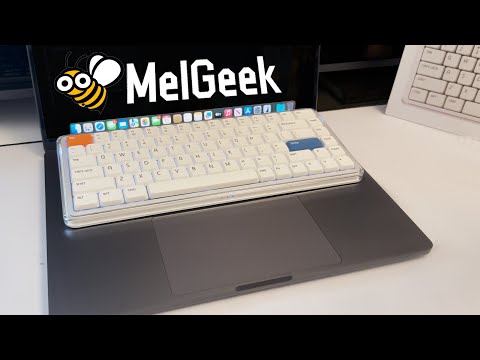
This keyboard works great with a Mac. It’s just slightly bigger than the built-in MacBook keyboard, you can place it right on top without pressing any keys by mistake. Super convenient and comfortable!
Love the feel of the keys, the creamy sound when typing, and the look of it. Set up was easy. My favorite keyboard so far.
.
Very nice.
Love it!
My best low profile keyboard. I love it!
Beautiful to look at, even more beautiful sounds coming out of it! I own a few low profile keyboards and this has got to be my best one yet out of the box. No flaws so far, from the aesthetics to the typing sound and feel, to the construction quality, to the functionality. No firmware quirks, wakes up from sleep instantly and registers the first key without fault, the space bar is so nicely tuned (better than all my keyboards, including premium ones). I kind find any faults for my use case and preferences.
I wasn't planning on writing a review, but MelGeek insisted I write one, they keep sending me emails. The delivery time was longer than stated, it took such a long time to be delivered. The keyboard itself is okay but trying to administrate the software is hard af, I can't get it to work reliable to work wirelessly. Not only that but the battery percentage appears to be reported incorrectly, the keyboard died but it reported it was at 63% consistently.
The feel, responsiveness and the sound this board makes is just heaven.
great keyboard, killer feature - fast connection after idle period. I had a number of keyboards, and this one is the fastest in terms of awaking time. What is not good, is battery life with active backlight - when it's on, keyboard lives around couple of days only.
Love it!
it's great. wish it had a num pad though
The kind of keyboard I was looking for, soft, cozy sound and very comfortable. The typing experience is actually incredible.
It types nicely. I'm still getting used to mechanical keyboards in general since I switched from a apple magic keyboard
I love the my O2 keyboard. I use it at home and carry it to work. My coworker said it looks cool.
Great keyboard! The typing experience is smooth
Feels great to type on, sounds amazing and works great for me.
I LOVE this keyboard. The aesthetic and versatility are unmatched. Perfect for what I was wanting!
よくある質問
O2 for MacはMacユーザー向けに設計されていますか?
はい、O2 for Macは、より使い慣れた外付けキーボード体験を求めるMacユーザー向けに設計されています。Macに馴染むキー配列、機能ゾーン、FNショートカット、そして薄型設計により、MacBookのキーボードからデスクトップ環境への移行をサポートします。
MelGeek O2とO2 for Macの違いは何ですか?
MelGeek O2とO2 for Macは、基本的なタイピング操作、ワイヤレス接続、薄型キーボードとしての操作感は共通しています。主な違いはキーボードのレイアウトで、O2 for MacはMacスタイルのキー配置やショートカットを好むユーザー向けに調整されています。
O2 for MacはWindowsでも動作しますか?
はい、O2 for MacはWindowsでも動作します。キーボードのレイアウトはMac優先ですが、Windowsユーザーもキーボードを使用でき、必要に応じて付属の交換用キーキャップで設定を調整できます。
MelGeek O2は長時間のタイピング作業でも快適ですか?
はい、MelGeek O2は長時間のタイピング作業向けに設計されています。薄型のキーは指の移動量を減らし、MIA PBTキーキャップ、ガスケットマウント、調整可能なタイピング角度により、より自然なタイピング体験を実現します。
MacでO2を利用するには、MelGeek Hiveが必要ですか?
いいえ、O2 for Macはソフトウェアの設定なしで通常のタイピングに使用できます。MelGeek Hiveは主に、キーのマッピング変更、照明の調整、マクロの設定、ファームウェアのアップデートなどを行う場合に役立ちます。
MelGeek O2にはテンキーが付いていますか?
いいえ、MelGeek O2は83キーのコンパクトレイアウトを採用しており、テンキーは搭載していません。このレイアウトはデスクスペースを節約できますが、一日中数字を入力するユーザーは、より大きなキーボードを好むかもしれません。
| 情報 |
| 色 |
| キーの数 |
| ケース素材 |
| キーキャップ素材 |
| ポーリングレート |
| スイッチ |
| バックライト |
| RT 精度 |
| デッドゾーン |
| レイテンシー |
| 価格 |
|
情報
N/A
|
|
色
N/A
|
|
キーの数
N/A
|
|
ケース素材
N/A
|
|
キーキャップ素材
N/A
|
|
ポーリングレート
N/A
|
|
スイッチ
N/A
|
|
バックライト
N/A
|
|
RT 精度
N/A
|
|
デッドゾーン
N/A
|
|
レイテンシー
N/A
|
|
価格
N/A
|


