

Popular searches
- Keyboard
- Magnetic keyboard
- MADE68 ultra
- Low profile keyboard

Ships within 48 hours.

Return & refund policy

Replies within 24 hours.

Easy lighting & macro setup.
Hide filter
Clear all
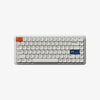
O2 Tri-mode Wireless Mechanical Keyboard
Color:
Ship from:

Color:
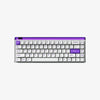
Pixel Mechanical Keyboard Palette
Color:
Switches:
Ship from:

Modern97 Mechanical Keyboard Fountain
Color:
Switches:
Ship from:

Pixel Mechanical Keyboard Canvas
Color:
Switches:
Ship from:

Pixel Mechanical Keyboard Christian
Color:
Switches:
Ship from:

Modern97 Mechanical Keyboard Ocean
Color:
Switches:
Ship from:

Modern97 Mechanical Keyboard Slate
Color:
Switches:

MOJO68 Mechanical Keyboard Pigeon
Color:
Switches:

MOJO68 Mechanical Keyboard Neon
Color:
Ship from:
Switches:

MOJO68 Mechanical Keyboard Ember
Color:
Switches:

MOJO68 Mechanical Keyboard Monster
Color:
Switches:

Mechanical Keyboard Wasteland
Color:
Switch:

MOJO68 Mechanical Keyboard Plastic
Color:
Switches:
Ship from:

MOJO84 Mechanical Keyboard Plastic
Color:
Ship from:
Switches:

Pixel Palette(Kailh Custom Tactile Switches)+Keyboard Cable+Keyboard Display Dock
Connector: :
Ship from:

Connector: :
Mechanical Keyboard Christian
Color:
Switches:

MOJO68 Mechanical Keyboard Rose
Color:
Switches:

MOJO84 Mechanical Keyboard Advance
Color:
Switches:
Ship From:

FREQUENTLY ASKED QUESTIONS
What is a mechanical keyboard?
A mechanical keyboard is built with high-quality, individual physical switches under every key. Unlike standard keyboards that use a single rubber sheet, this design provides precise tactile feedback, faster actuation, and extreme durability. Because each key is an independent component, mechanical keyboards offer a level of customization—from sound to feel—that regular keyboards cannot match.
Will a mechanical keyboard work with Mac and Windows, and can I remap keys?
Yes. MelGeek mechanical keyboards are fully compatible with macOS, Windows, Linux, iOS, and Android. Most models include a physical toggle or a shortcut to switch between Mac and Windows layouts instantly. Furthermore, you can fully remap every key, program macros, and customize layers using our MelGeek Hive software, ensuring the keyboard adapts perfectly to your specific workflow.
What is the difference between a normal keyboard and a mechanical keyboard?
The main differences are longevity, feel, and customization. "Normal" membrane keyboards often feel mushy and may lose responsiveness after a year or two. Mechanical keyboards provide a crisp, consistent typing experience and are rated for up to 50–100 million keystrokes.
Can I change the switches or keycaps later?
Many MelGeek mechanical keyboards support keycap swaps, but you should check stem type (most are MX style) and layout compatibility. If the keyboard is hot swappable, you can also replace switches without soldering, which makes customising feel and sound much easier.
Which switch type should I choose: linear, tactile, or clicky?
Linear switches feel smooth and fast, which many gamers prefer. Tactile switches give a noticeable bump for feedback and are popular for typing. Clicky switches add a loud click sound for the most feedback, but they are not ideal for shared spaces.
|
Comparison |
| Color |
| Number of Keys |
| Case Material |
| Keycaps Material |
| Polling Rate |
| Switch |
| Backlighting |
| RT Precision |
| Dead Zone |
| Latency |
| Price |