








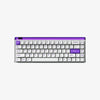


MADE68 Ultra+ set the previous-generation base with wired 8K speed, TTC Magnetic Switches, swappable side panels, and the Electric Atmosphere Lightbox.
MADE68 Ultra V2 builds on the Ultra+ base as MelGeek’s new 68-key AI gaming keyboard with magnetic switches. It adds HIVE 2.0 AI lighting, distributed multi-MCU architecture, Flip King Magnetic Switch and KOM Lite Magnetic Switch options, official and 3D-printable DIY parts, and deeper FPS input control.
MelGeek’s pro partner lineup includes MIBR’s Zekken, Sentinels’ Cortezia, and INTZ. These pro partners use MelGeek equipment for official tournaments and daily training.
What Are the Key Features of MADE68 Ultra V2
MADE68 Ultra V2 focuses on four core upgrades: custom build control, HIVE 2.0 lighting, FPS performance, and magnetic switch tuning. Each upgrade connects to a clear user need: case styling, lighting control, input timing, or setup flow.

Custom Build Shapes the Desk Setup
MADE68 Ultra V2 uses a full aluminum alloy chassis, side lighting, swappable panels, replaceable light guide panels, and silicone gasket mounting. These parts change the keyboard’s look, sound, and keypress feel while keeping the compact 68-key layout.
Full Aluminum Chassis Adds Weight and Structure
MADE68 Ultra V2 uses a full aluminum alloy chassis and side panels. The keyboard weighs about 1175g, giving the board a more planted feel on the desk.
Full-screen backlighting and illuminated interlocking side panels extend RGB beyond the key area, so the case becomes part of the lighting system.
Swappable Panels Support Custom Case Styling
MADE68 Ultra V2 supports official side panel styles and custom 3D-printable options. The top and bottom split interlocking design lets users mix materials, colors, and panel styles.
[product=made68-v2-ultra-light-guide-panels]
Personalize MADE68 Ultra V2 lighting with a 3D-printed light guide panel.
[/product]
Users can replace the light guide panel with official options or custom 3D-printed versions. These panels can show a gamer tag, name, or gift detail, making MADE68 Ultra V2 easier to personalize for a desk setup or gift build.
Silicone Gasket Mounting Tunes Sound and Feel
MADE68 Ultra V2 uses a silicone-dampened gasket mount structure with 5-layer sound-dampening foam padding. This structure helps reduce press impact, cavity noise, and vibration.
The internal design also uses dual foam damping, full-core suspension support, and 6-way silicone dampening to steady the typing feel and control sound.
HIVE 2.0 Controls AI Lighting
HIVE 2.0 controls the main AI lighting features on MADE68 Ultra V2. The system brings Full-View RGB, Valorant Game Sync, Music Rhythm Lighting, AI Lighting Generator, and Screen Sync Lighting into one software layer.
Full-View RGB Builds a 360° Desk Atmosphere
MADE68 Ultra V2 uses a full-view panoramic RGB light bar for 360° ambient lighting. The full-length LED light bar spreads RGB across the keyboard body and gaming setup.
The lighting system includes 50+ built-in effects and hidden lighting effects, giving users preset options for different desk moods.
[product=made68-v2-ultra-light-bar]
Swap the light bar color to match your MADE68 Ultra V2 setup.
[/product]
Valorant Game Sync Adds Match-Based Lighting Feedback
HIVE 2.0 supports Valorant Game Sync Lighting at launch. Supported hero skills, actions, and announcements can trigger lighting feedback in real time.
The MelGeek team plans to expand game sync support for more titles through future HIVE 2.0 updates.
Music Rhythm Lighting Reacts to Audio
Music Rhythm Lighting lets MADE68 Ultra V2 respond to music, voice chat, and game sound effects. The keyboard turns audio into lighting feedback during play or desk use.
HIVE 2.0 includes 4 selectable rhythm modes, so users can choose the audio-reactive style that fits their setup.
AI Glow Creates Text-Based Ambient Lighting
AI Glow uses the HIVE 2.0 AI Lighting Generator to create custom ambient lighting from text prompts. Users can describe a game mood, color direction, or desk theme, then generate a matching lighting effect.
This gives MADE68 Ultra V2 a lighting path beyond built-in presets while keeping the setup inside HIVE 2.0.
FPS Performance Supports Competitive Play
MADE68 Ultra V2 is built around FPS input timing, controlled key release, and stable scanning. These features support FPS games where movement, stopping, and firing depend on tight input control.
8000Hz Polling Supports Faster FPS Timing
MADE68 Ultra V2 lists 8000Hz polling and scan rate, 0.125ms latency, and 0.01mm accuracy for low-latency FPS input. These specs support faster signal timing between the keyboard and PC.
For FPS play, that faster timing matters most during movement changes, quick stops, and firing windows.
Rapid Trigger Controls Press and Release
Rapid Trigger on MADE68 Ultra V2 is adjustable from 0.01mm to 2.5mm. This Rapid Trigger keyboard setting lets players tune press and release behavior based on their preferred sensitivity.
The feature supports faster key reset and instant release stop, which can help with cleaner counter-strafing, first-shot timing, and repositioning.
Dynamic Keystroke Maps Up to Four Actions
Dynamic Keystroke lets one key map up to 4 actions. Official examples include counter-strafe, reset aim, and instant stop.
This turns one key into a layered FPS control point, so players can place advanced movement and aim actions on a single press.
Multi-MCU Architecture Speeds Scanning and Processing
MADE68 Ultra V2 uses distributed Multi-MCU architecture. MelGeek positions this design around faster response, quicker scanning, and more stable key processing.
Smart zone processing and dynamic scanning help keep key registration stable when FPS inputs come fast.
Switches and Software Support Daily Tuning
MADE68 Ultra V2 connects magnetic switch keyboards with HIVE 2.0 software control. The switches shape input feel, while HIVE 2.0 keeps mods, lighting, and gaming profiles in one app.
KOM Lite and Flip King Switches Support Adjustable Travel
MADE68 Ultra V2 offers Flip King Magnetic Switch and KOM Lite Magnetic Switch options. Choose Flip King Magnetic Switch if you want a smooth, premium feel with flagship all-around performance.
Choose KOM Lite Magnetic Switch if you prefer a crispy, snappy sound and a clackier typing feel. Flip King uses a mortise-and-tenon POM stem, while KOM Lite uses an integrated POM stem.
Both switches support adjustable actuation and 0.01mm Rapid Trigger accuracy, so users can tune press depth and release behavior for different play styles.
HIVE 2.0 Keeps Mods, Lighting, and Profiles in One App
MelGeek positions MADE68 Ultra V2 as an AI gaming keyboard powered by HIVE 2.0. The software brings mods, lighting, gaming profiles, and performance settings into one control app.
Users can adjust lighting modes, Rapid Trigger, Dynamic Keystroke, and profiles from the same setup flow.
Pro Partner Use Adds Competitive Context
MelGeek’s pro partner lineup includes MIBR’s Zekken, Sentinels’ Cortezia, and INTZ. This esports backing adds context to MADE68 Ultra V2’s FPS focus, especially around magnetic switch tuning, HIVE 2.0 control, and fast input timing.
How Does MADE68 Ultra V2 Compare With MADE68 Ultra+
MADE68 Ultra+ set the previous-generation base for the MADE Series with wired 8K speed, TTC Magnetic Switches, swappable side panels, and the Electric Atmosphere Lightbox. MADE68 Ultra V2 adds full-view RGB, replaceable light guide panels, distributed Multi-MCU architecture, and HIVE 2.0 AI lighting control.
Users can replace the l Why MADE68 Ultra V2 Is Worth Buyingight guide panel with official options or custom 3D-printed versions for a more personal build.

MADE68 Ultra+ VS MADE68 Ultra V2 Comparison Table
The table below compares MADE68 Ultra+ and MADE68 Ultra V2 across lighting, DIY parts, software control, and FPS input tuning.
|
Category |
MADE68 Ultra+ |
MADE68 Ultra V2 |
|
Light Bar |
Electric Atmosphere Lightbox with 1-row LED lighting |
Full-View Panoramic RGB Light Bar with 3-row LED lighting |
|
RGB Effects |
Preset effects and DIY lighting with Hive |
50+ effects, hidden effects, AI Lighting Generator, Music Rhythm Lighting, Valorant Game Sync, Screen Sync |
|
Light Guide Panels |
Modular light box |
Replaceable light guide panels with official and 3D-printed options |
|
Side Panels |
Swappable side panels |
Top and bottom split replaceable side panels with official styles and custom 3D-printable options |
|
Structure and Sound |
Aluminum alloy case, gasket mount, 4-layer acoustic optimization |
Full aluminum alloy chassis and side panels, silicone gasket mount, 5-layer sound-dampening padding |
|
Switches |
TTC Magnetic Switches |
KOM Lite Magnetic Switch / Flip King Magnetic Switch |
|
FPS Specs |
8,000Hz USB polling, adjustable actuation, Rapid Trigger |
8000Hz polling and scan rate, 0.125ms latency, 0.01mm accuracy, Rapid Trigger 0.01mm to 2.5mm, Dynamic Keystroke |
|
Software |
Hive for button mapping, lighting, Rapid Trigger, and settings |
HIVE 2.0 for mods, lighting, profiles, AI Lighting Generator, Valorant Game Sync, Music Rhythm Lighting, and Screen Sync |
Lighting and DIY Get the Biggest Upgrade
MADE68 Ultra+ uses the Electric Atmosphere Lightbox as its visual identity. MADE68 Ultra V2 moves to a Full-View Panoramic RGB Light Bar, with 50+ built-in effects and hidden lighting effects. The DIY system also becomes more visible. V2 adds a customizable light bar, official side panel styles, custom 3D-printable options, and replaceable light guide panels. Users can change the case style, lighting detail, and desk look from the same keyboard platform.
The structure update also affects feel and sound. V2 uses a full aluminum alloy chassis, silicone dampened gasket mounting, and 5-layer sound-dampening foam padding. These changes give the build more weight while helping control press feedback, vibration, and case noise.
FPS Control Gets More Precise
MADE68 Ultra+ already covers the core gaming base with 8,000Hz USB polling, adjustable actuation, and Rapid Trigger. MADE68 Ultra V2 keeps 8K-class timing, then adds distributed Multi-MCU architecture, Dynamic Keystroke, HIVE 2.0, and a deeper lighting and DIY system.
These changes move V2 closer to FPS-focused input tuning. Rapid Trigger supports faster reset and release tuning, while Dynamic Keystroke lets one key map up to 4 actions for advanced movement control.
Multi-MCU architecture adds another layer for scanning and processing. When FPS inputs come fast, this structure helps support stable key registration and tighter timing.
HIVE 2.0 Centralizes Setup
MADE68 Ultra+ uses Hive for button mapping, lighting, Rapid Trigger, and settings. MADE68 Ultra V2 moves to HIVE 2.0, which brings mods, lighting, gaming profiles, AI Lighting Generator, Valorant Game Sync, Music Rhythm Lighting, and Screen Sync into one control layer.
This upgrade matters because V2 connects lighting and performance settings in one setup flow. Users can tune RGB, game sync, Rapid Trigger, Dynamic Keystroke, and profiles without treating each feature as a separate workflow.
At launch, Game Sync supports Valorant lighting feedback. MelGeek plans to expand game sync support for more titles through future HIVE 2.0 updates.
[product=made68-ultra-v2-gaming-keyboard]
HIVE 2.0 AI lighting, 8K polling, Rapid Trigger, and modular DIY panels.
[/product]
Why MADE68 Ultra V2 Is Worth Buying
MADE68 Ultra V2 fits users who want FPS input tuning, HIVE 2.0 lighting, magnetic switches, and modular case control in one wired 68-key keyboard.

Pro Esports Backing
MelGeek’s pro partner lineup includes MIBR’s Zekken, Sentinels’ Cortezia, and INTZ. These pro partners rely on MelGeek equipment for official tournaments and daily training.
MADE68 Ultra V2 carries that same competitive focus with FPS timing, magnetic switch control, and HIVE 2.0 setup control.
FPS Timing Control
MADE68 Ultra V2 lists 0.125ms latency, 8000Hz polling and scan rate, and 0.01mm accuracy. Rapid Trigger is adjustable from 0.01mm to 2.5mm.
Dynamic Keystroke maps up to 4 actions to one key, including counter-strafe, reset aim, and instant stop. These controls fit FPS moments where movement and firing depend on tight timing.
HIVE 2.0 AI Control
MADE68 Ultra V2 runs on HIVE 2.0 System. One app powers mods, lighting, and gaming profiles.
HIVE 2.0 also supports AI Lighting Generator, Valorant Game Sync, Music Rhythm Lighting, and Screen Sync. Valorant Game Sync supports real-time lighting feedback during supported Valorant actions.
Price and Shipping
MADE68 Ultra V2 is available from MelGeek, where buyers can check current pricing, shipping options, warranty coverage, and return details.
Choose MADE68 Ultra V2 if you want a wired 68-key magnetic switch keyboard for FPS timing. It combines 8K polling, 0.125ms latency, Rapid Trigger, and Dynamic Keystroke. HIVE 2.0 adds AI lighting, profile control, and modular DIY setup support.
How to Set Up MADE68 ULTRA V2 With HIVE 2.0
MADE68 Ultra V2 uses wired single-mode connection and HIVE 2.0 System. Setup starts with the wired connection, then moves into HIVE 2.0 for lighting, Rapid Trigger, Dynamic Keystroke, and profiles.
Connect MADE68 Ultra V2 in Wired Mode
Connect MADE68 Ultra V2 in wired mode. MADE68 Ultra V2 uses wired single-mode connection, HIVE 2.0 driver support, and 8,000Hz USB polling.
Once the keyboard powers on, move into HIVE 2.0 for lighting, profile, and control settings.
Download HIVE 2.0 for Desktop
Download HIVE 2.0 for desktop from MelGeek. HIVE 2.0 is the control app for MADE68 Ultra V2. Use HIVE 2.0 to set lighting modes, Rapid Trigger, Dynamic Keystroke, and gaming profiles.
Set Up Lighting Modes in HIVE 2.0
Choose from 50+ built-in effects and hidden lighting effects. MADE68 Ultra V2 also supports Personalized AI Glow and Dynamic Audio Visualization for music, voice chat, and FX.
At launch, use Game Sync with supported Valorant lighting feedback. MelGeek plans to expand support for more titles through future HIVE 2.0 updates.
Tune Rapid Trigger and Dynamic Keystroke
Tune Rapid Trigger inside HIVE 2.0. Rapid Trigger is adjustable from 0.01mm to 2.5mm.
Set Dynamic Keystroke for multi-action control. MADE68 Ultra V2 can map up to 4 actions to one key, including counter-strafe, reset aim, and instant stop.
Adjust within the official range. Test the press and release feel in your FPS setup.
Run Basic Setup Checks
Check the basics before changing advanced settings.
- Keyboard not detected by HIVE 2.0: Check the wired connection first. MADE68 Ultra V2 is listed as wired single-mode.
- Game Sync not reacting: Check whether the current title supports HIVE 2.0 game sync. At launch, Valorant lighting feedback is supported.
- Rapid Trigger feels too sensitive: Adjust Rapid Trigger in HIVE 2.0 within the official 0.01mm to 2.5mm range. Then test the press and release feel again.
FAQ
Why Is MADE68 ULTRA V2 Wired-Only?
MADE68 Ultra V2 is wired-only because stable 8000Hz polling and Rapid Trigger response matter most in competitive play. The wired connection gives the keyboard a more consistent signal path, helping support low-latency input, fast key reset, and precise FPS timing.
How Does Rapid Trigger Work on MADE68 ULTRA V2?
Rapid Trigger changes actuation based on key movement instead of a fixed reset point. On MADE68 Ultra V2, the adjustable 0.01mm to 2.5mm range lets users tune how quickly a key resets after release.
What AI Lighting Features Does HIVE 2.0 Add?
HIVE 2.0 adds AI Lighting Generator, Personalized AI Glow, Music Rhythm Lighting, Screen Sync Lighting, and Valorant-supported Game Sync. The same app also manages mods, lighting, and gaming profiles.
Which Magnetic Switch Should I Choose?
Choose Flip King Magnetic Switch for a smooth, premium feel with flagship all-around performance. Choose KOM Lite Magnetic Switch if you prefer a crispy, snappy sound and a clackier typing feel.
Which MelGeek Keyboards Support HIVE 2.0?
HIVE 2.0 is currently listed for MADE68 Ultra V2 and Centauri. MelGeek also notes that support for other MelGeek magnetic keyboards is planned through firmware updates.
Add MADE68 ULTRA V2 to Your Desk Today
MADE68 Ultra V2 fits users who want FPS timing, full-view RGB, and modular case styling in one wired 68-key magnetic switch keyboard.
Choose MelGeek MADE68 Ultra V2 for wired 8K polling, Rapid Trigger, and magnetic switch control. HIVE 2.0 adds AI lighting, profile control, and DIY setup support through one app.
[product=made68-ultra-v2-gaming-keyboard]
HIVE 2.0 AI lighting, 8K polling, Rapid Trigger, and modular DIY panels.
[/product]