Suggestion: please update MOJO68/MOJO84 firmware to the latest version.
Steps for Mojo68 /Mojo84 2.4G pairing
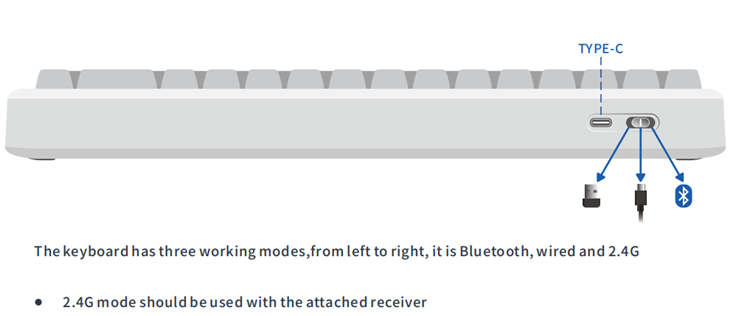
- Connect the 2.4G dongle (2.4G receiver) to your computer (better the host USB);
- Switch to 2.4G mode;
- The keyboard will start auto-pairing, and the indicator keeps green when it is connected.
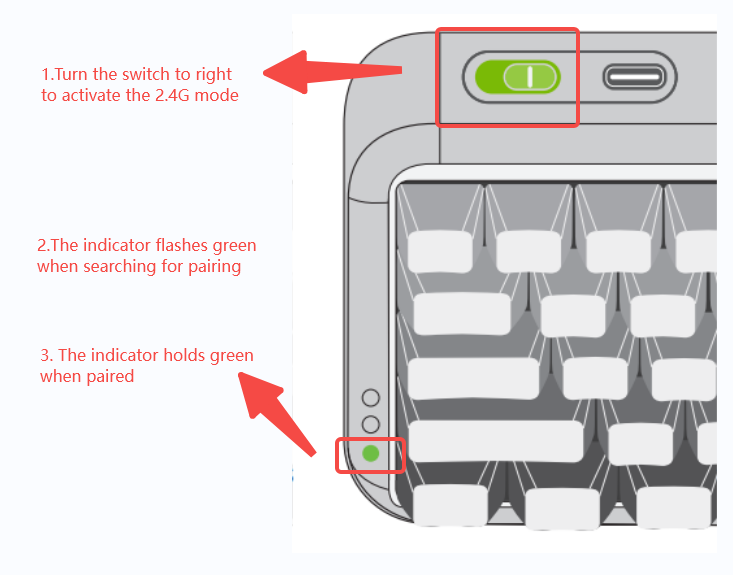
If the indicator light keeps flashing green, please reset the 2.4G mode and do the pairing again.
MOJO68/MOJO84 2.4G mode Reset and pairing
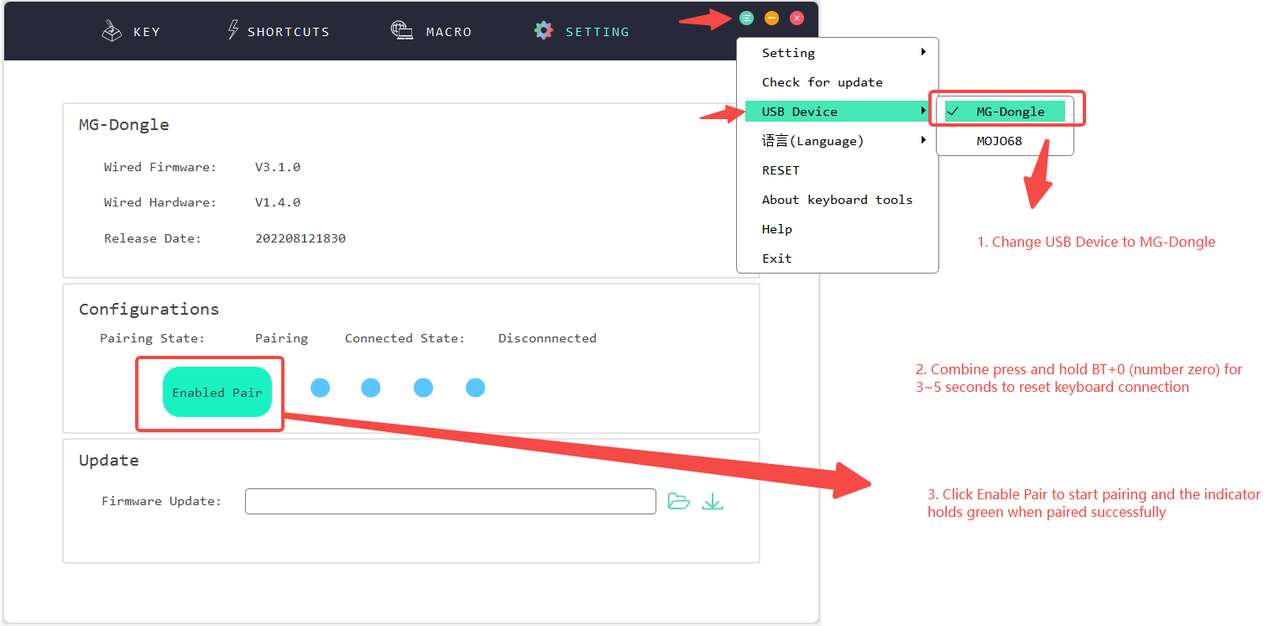
- Open KBTools with the 2.4G dongle (2.4G receiver)connected to your computer.
- Change the USB device to MG-Dongle on the right top of KBtools.
- Keep the keyboard in 2.4G mode.
- Reset the 2.4G mode by long pressing BT+0 for about 3-5 secs, until the 2.4G indicator light turns red.
- If the connected State is still "disconnected", please click “enable pairing” on the setting page of KBTools.
- The 2.4 indicator light will keep green when it's connected successfully.